
Enhancing Student Productivity with Adobe Acrobat Classic
Key Takeaways
- Adobe Acrobat Classic is a powerful tool for managing PDFs.
- Edit, create, and convert PDF documents efficiently.
- Use security features to protect sensitive information.
- Enhance your study habits with organized document management.
In the fast-paced world of academia, students often face a mountain of documents, assignments, and study materials. Adobe Acrobat Classic is a software tool that can significantly enhance student productivity by streamlining document management and improving study habits. This article will explore various features of Adobe Acrobat Classic and provide tips on how to leverage them effectively.
What is Adobe Acrobat Classic?
Adobe Acrobat Classic is a robust PDF software solution designed for students and educators alike. With a three-year term license, this software offers various features to help users efficiently manage their PDF documents, from editing and signing to secure sharing.
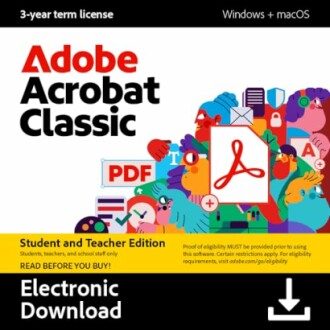 Must-Have for Students
Adobe Acrobat Classic Student & Teacher Edition
This software enables you to work securely offline, edit text and images, convert PDFs seamlessly, and manage documents efficiently.
Learn MoreBenefits of Using Adobe Acrobat Classic
Adobe Acrobat Classic offers a wealth of features tailored to students, which can greatly enhance productivity:
- Secure Offline Work: Work without connecting to the cloud, ensuring your documents remain private.
- Edit and Organize: Modify text and images within PDFs, reorder pages, and delete unnecessary content.
- Convert Files: Transform PDFs into Word, Excel, or PowerPoint without losing formatting and layout.
- Forms Management: Create and fill forms easily, along with signing them digitally.
- Document Security: Protect sensitive information by password-protecting documents and redacting sections.
How to Enhance Your Study Habits with Adobe Acrobat Classic
Here are practical tips on utilizing Adobe Acrobat Classic to boost your study habits:
- Create Organized Study Materials: Use the editing tools to compile notes from different sources into a single PDF. This makes revisions more streamlined.
- Annotate PDFs: Highlight key points and add comments on lecture slides or reading materials directly in the PDF.
- Form Filling: Use the fillable PDF forms functionality for assignments that require reports or surveys.
- Document Sharing: Send assignments securely to your instructors directly through Adobe Acrobat Classic.
- Save for Future Reference: Keep your coursework, research, and notes saved as PDFs for easy access later.
Real-Life Applications of Adobe Acrobat Classic in Education
The functionality of Adobe Acrobat Classic aligns well with various real-life educational tasks:
| Task | Adobe Acrobat Classic Feature | Benefit |
|---|---|---|
| Creating study guides | Edit and compile PDFs | Easy access to essential materials |
| Submitting assignments | Maintain formatting | |
| Collaboration | Create and share fillable forms | Easy feedback from peers/instructors |
| Protecting sensitive info | Password protection and redaction | Keep work confidential |
Additional Resources for Students
For more tips and tricks on utilizing software effectively in your studies, check out our other resources:
- Education & Reference Software
- Mac Software for Students
- Business & Office Software
- Buying Guides
- Software Tips and Tricks
Conclusion
In conclusion, Adobe Acrobat Classic acts as an invaluable tool for students aiming to optimize their productivity and enhance their study habits. With its vast array of features, from editing to document security, it meets the diverse needs of today's academic environment. By integrating Adobe Acrobat Classic into your study routine, you'll find improved organization and efficiency, paving the way for academic success.
Tips for Beginners
- Start by exploring basic features like editing PDFs and converting files.
- Utilize the help menu to understand advanced functionalities.
- Practice regular usage to become familiar with the interface.


