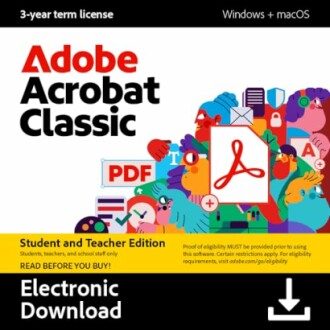
Adobe Acrobat Classic Student & Teacher Edition Review: A Secure PDF Solution
Key Takeaways
- Unlock secure offline editing capabilities
- Convert PDFs to Microsoft Office files with ease
- Enhance collaboration with form creation and signing
- Protect sensitive information with password protection and redaction
Are you tired of struggling to manage PDF files? Do you find yourself wasting precious time converting them to other formats or editing them on the go? Look no further than the Adobe Acrobat Classic Student & Teacher Edition, a powerful tool that revolutionizes the way you work with PDFs. In this review, we'll delve into the features and benefits of this incredible software, exploring how it can streamline your workflow and take your productivity to the next level.
About Adobe Acrobat Classic Student and Teacher Edition
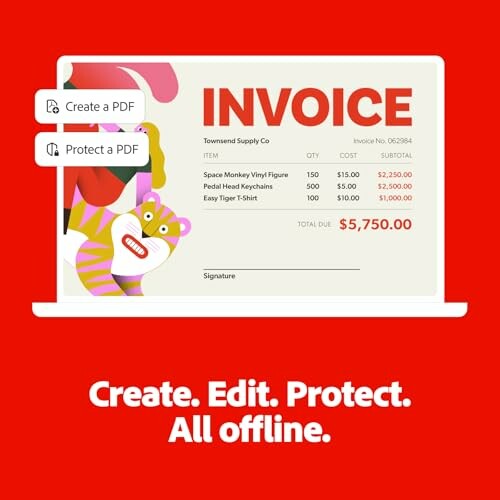
The Adobe Acrobat Classic Student & Teacher Edition is a powerful PDF software designed specifically for students and teachers. With this software, you can work securely offline, edit PDF files, and convert them to Microsoft Office files, making it an essential tool for anyone who needs to manage PDFs in their daily work.
| Feature | Description |
|---|---|
| Offline Editing | 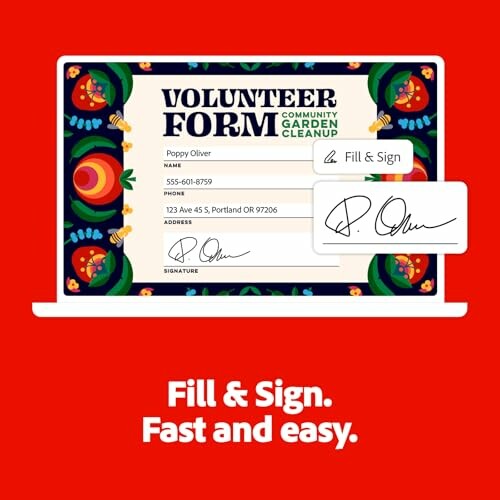 With the Adobe Acrobat Classic Student & Teacher Edition, you can edit PDF files offline, without the need for an internet connection. |
| PDF Conversion | 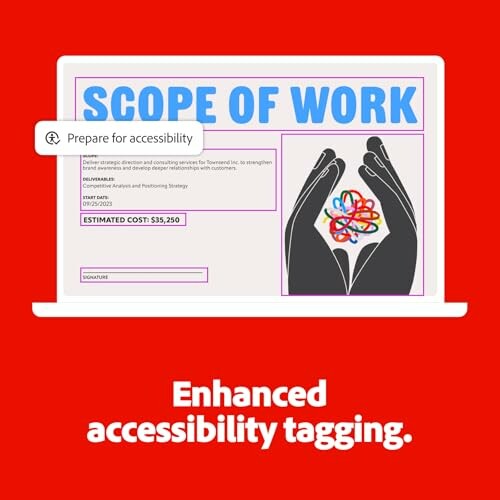 This software allows you to convert PDF files to Microsoft Office files, such as Word, Excel, or PowerPoint, while preserving fonts, formatting, and layouts. |
| Form Creation and Signing | The Adobe Acrobat Classic Student & Teacher Edition enables you to create, fill, and sign forms, making it easy to gather and manage information. |
| Security Features | This software offers advanced security features, including password protection and redaction, to help you protect sensitive information. |
The Adobe Acrobat Classic Student & Teacher Edition is designed to help you work efficiently and effectively, whether you're a student, teacher, or simply someone who needs to manage PDF files.
Learn more about other software options for accounting and bookkeeping Explore design and illustration software options Discover music software options Check out photo editing software options View programming and web development software options Learn more about project management software options Explore real estate management software options Browse students software options Check out video software options Check Current PriceOur Verdict: A Balanced Assessment of Adobe Acrobat Classic Student & Teacher Edition
Pros
- Offline editing capabilities allow for seamless work without an internet connection
- Conversion to Microsoft Office files is fast and accurate, preserving formatting and layouts
- Form creation and signing features streamline collaboration and data collection
- Advanced security features, including password protection and redaction, ensure sensitive information remains secure
- Simple and intuitive interface makes it easy to navigate and use the software
Cons
- Some users may find the software's interface overwhelming, particularly for those new to PDF editing
- A few users have reported minor bugs and glitches, although these are rare and do not significantly impact usage
- The software may not be suitable for very large or complex PDF files
In conclusion, Adobe Acrobat Classic Student & Teacher Edition is a powerful and versatile PDF software that offers a range of features and benefits. While some users may encounter minor issues, the pros far outweigh the cons. With its offline editing capabilities, conversion to Microsoft Office files, and advanced security features, this software is an excellent choice for anyone who needs to manage PDFs in their daily work.
Unlock the Full Potential of Adobe Acrobat Classic Student & Teacher Edition: Tips for Buyers and a Final Verdict
Now that you've read our in-depth review of Adobe Acrobat Classic Student & Teacher Edition, it's time to take your PDF management to the next level. In this section, we'll provide you with valuable tips on what to look for when buying similar products and common mistakes to avoid.
Tips for Buyers: What to Look for When Buying Similar Products
- Offline editing capabilities: Ensure the software allows you to edit PDFs without an internet connection.
- Conversion to Microsoft Office files: Look for software that can convert PDFs to Microsoft Office files, such as Word, Excel, or PowerPoint, while preserving fonts, formatting, and layouts.
- Form creation and signing features: Consider software that enables you to create, fill, and sign forms, making it easy to gather and manage information.
- Advanced security features: Ensure the software offers advanced security features, including password protection and redaction, to help you protect sensitive information.
Common Mistakes to Avoid When Buying Similar Products
- Don't compromise on security features: While some software may offer lower prices, ensure you don't sacrifice security features that are essential for protecting sensitive information.
- Be wary of software with limited offline editing capabilities: If you need to work on PDFs without an internet connection, ensure the software allows for seamless offline editing.
- Don't overlook the importance of form creation and signing features: If you need to gather and manage information, consider software that offers robust form creation and signing features.
Based on our review, Adobe Acrobat Classic Student & Teacher Edition is a powerful and versatile PDF software that offers a range of features and benefits. While some users may encounter minor issues, the pros far outweigh the cons. With its offline editing capabilities, conversion to Microsoft Office files, and advanced security features, this software is an excellent choice for anyone who needs to manage PDFs in their daily work.
So, what are you waiting for? Unlock the full potential of Adobe Acrobat Classic Student & Teacher Edition and take your PDF management to the next level. Learn more about other software options for accounting and bookkeeping or explore other software options on our website.
Final Verdict: Adobe Acrobat Classic Student & Teacher Edition is a must-have for anyone who needs to manage PDFs in their daily work. With its powerful features and benefits, this software is an excellent choice for students, teachers, and professionals alike.
Check Current Price