
Must-Have Software for Students: 2025 Edition
Key Takeaways
- Essential software can greatly enhance study productivity.
- Tools for file management, organization, and collaboration are critical for success.
- We highlight top software for various student needs, from PDF management to creative design.
As we navigate through 2025, students are increasingly relying on digital solutions to enhance their learning experiences. The right software can streamline organization, foster collaboration, and improve productivity. In this article, we'll explore must-have software options that cater to different academic needs.
Why Software Choice Matters for Students
Students today face a multitude of challenges, from managing their coursework to collaborating with peers. Selecting the right software is essential, as it can simplify tasks, enhance learning experiences, and boost overall performance. This guide shines a light on some of the best software available for students in 2025.
Essential Software Categories for Students
| Category | Software Name | Key Features |
|---|---|---|
| Productivity | Adobe Acrobat Classic Student & Teacher Edition | Edit PDFs, convert to Word/Excel, secure documents. |
| Project Management | Trello | Organize tasks, collaborate in real-time, visual project boards. |
| Design Tools | Canva | Create stunning graphics, templates, drag-and-drop features. |
| Writing Assistance | Grammarly | Grammar checks, style suggestions, plagiarism detection. |
| Collaboration | Slack | Group chats, file sharing, integration with other tools. |
Detailed Review: Adobe Acrobat Classic Student & Teacher Edition
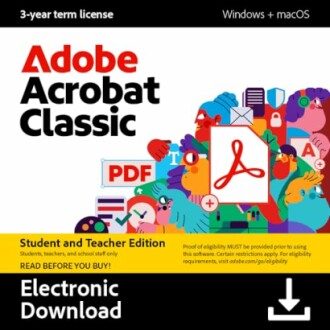
One of the standout software choices for students in 2025 is the Adobe Acrobat Classic Student & Teacher Edition. This powerful PDF software is perfect for students who need to manage their documents effectively.
 Top Choice
Adobe Acrobat Classic Student & Teacher Edition
Streamline your workflow with powerful PDF tools that allow you to create, edit, and secure documents.
Learn MoreAdditional Must-Have Software Options
Beyond Adobe Acrobat, there are numerous other software options that can enhance a student's toolkit:
- Google Drive: Store and share files easily while collaborating in real-time.
- Microsoft Office 365: A suite of tools for writing, presentations, and data analysis.
- LastPass: Keep your passwords secure and easily accessible.
Tips for Selecting the Right Software
Beginner's Section
- Identify your study needs and challenges.
- Look for software with features that meet your specific requirements.
- Consider user reviews and ratings to gauge overall satisfaction.
- Take advantage of free trials to test software suitability.
- Check for discounts for students to save on costs.
Final Thoughts
The right software can make a considerable difference in a student's academic journey. From editing PDFs to collaborating on projects, there are various tools that can optimize learning and productivity. By choosing software geared towards their individual needs, students can navigate their educational experiences more effectively.
Pros
- Wide range of tools available for different academic tasks.
- Improves overall productivity and collaboration.
- Many options come with student discounts.
Cons
- Some software can be expensive without student discounts.
- Not all software aligns with every student's specific needs.
- Learning curves for some advanced features may be steep.
Explore More
For more insights on software that makes a difference, visit our Buying Guides category. You’ll find valuable resources tailored to help you choose the best software for your needs.


