Nero Video 2026 Review: The Ultimate Video Editing Software
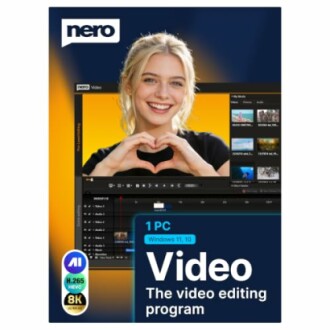
Key Takeaways
- User-friendly drag-and-drop interface for easy video editing.
- Over 1000 creative effects and tools to enhance your projects.
- Supports 4K and 8K video editing with a multi-track timeline.
- Lifetime license with no subscription fees.
- Perfect for creating movies, slideshows, and disc projects.
If you're looking to create stunning videos without the complexity, Nero Video 2026 is your go-to solution. This powerful video editing software combines user-friendly features with advanced tools to help you produce professional-quality movies effortlessly.
From intuitive editing options to an array of effects and transitions, Nero Video 2026 is designed to cater to both novice and experienced editors. Whether it's for personal projects or professional needs, this software stands out as a top choice in the realm of video editing software.
About Nero Video 2026
Nero Video 2026 is a comprehensive video editing software specifically designed for Windows users. This software provides a seamless experience, allowing users to create, edit, and share videos with ease. With its powerful features and user-friendly interface, Nero Video 2026 caters to both beginners and seasoned editors alike.
Powerful video editing capabilities
Nero Video 2026 offers a range of powerful video editing tools that make it simple to produce professional-looking content. The intuitive drag-and-drop editor allows you to:
- Trim and cut clips effortlessly.
- Combine multiple video clips into one cohesive project.
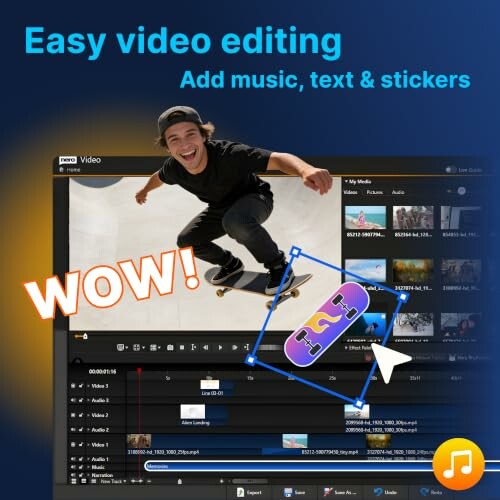
- Add music, titles, and transitions to enhance storytelling.
Extensive library of effects and tools
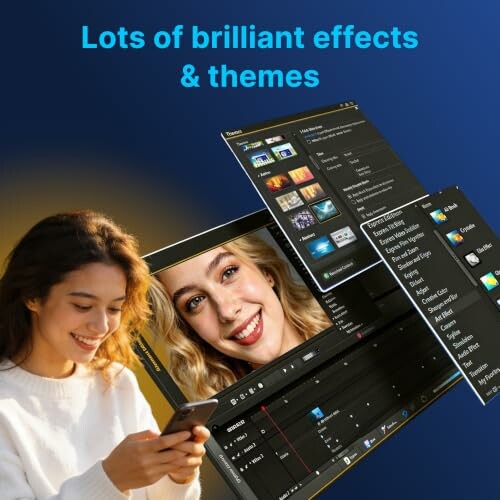
With over 1000 effects, titles, and creative tools, you can easily enhance your videos and make them stand out. Key features include:
- Premium transitions and filters to add a professional touch.
- Animated titles and stickers to engage viewers.
- Picture-in-picture effects for creative storytelling.
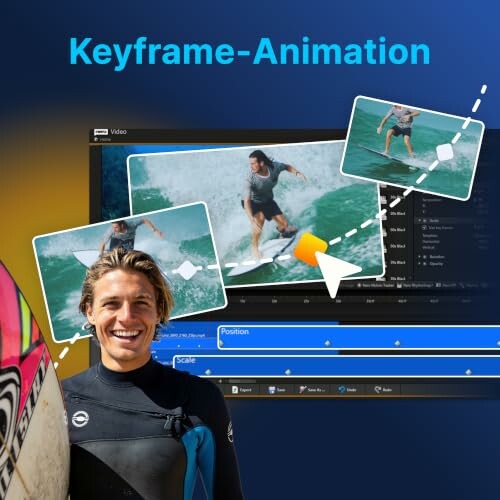
- Keyframe animation and motion tracking for dynamic visuals.
Edit in high-definition
Nero Video 2026 supports editing in 4K and 8K, ensuring that your videos are of the highest quality. The multi-track timeline allows for:
- Advanced editing capabilities with precise timeline controls.
- Seamless integration of multiple video and audio tracks.
- Output in modern video formats like H.265/HEVC.
Create diverse projects
Nero Video 2026 is versatile, allowing users to create a variety of projects, such as:
- Memorable family movies and travel films.
- Engaging slideshows for special occasions.
- Professional disc projects, including custom DVD and Blu-ray menus.
User-friendly experience
The installation process is straightforward, and the software is optimized for Windows 11, 10, 8, and 7. Users can expect:
- An easy-to-navigate interface that simplifies video editing.
- Access to helpful user manuals and customer support.
- A one-time purchase model, eliminating the need for subscriptions.
In summary, Nero Video 2026 stands out in the crowded video editing market, combining powerful features with ease of use. Whether you're a beginner looking to create your first video or a professional seeking advanced editing tools, Nero Video 2026 has everything you need.
Check Current PriceAdvantages and Disadvantages of Nero Video 2026
Pros
- User-friendly drag-and-drop interface, making video editing accessible for everyone.
- Extensive library of over 1000 effects, titles, and creative tools to enhance projects.
- Supports high-definition video editing in 4K and 8K with a multi-track timeline.
- Lifetime license with no subscription fees, offering great value for users.
- Versatile for creating various projects, from family movies to professional disc projects.
Cons
- May have a learning curve for those completely new to video editing.
- Some advanced features might be overwhelming for casual users.
- Limited support for non-Windows operating systems.
Overall, Nero Video 2026 offers a robust set of features and tools that make it a standout option for both novice and experienced video editors. While there are some minor drawbacks, the advantages significantly outweigh them, making this software a worthwhile investment for anyone looking to create high-quality videos.
Your Path to Video Editing Success with Nero Video 2026
Tips for Buyers
When considering video editing software like Nero Video 2026, keep these factors in mind:
- Assess your editing needs and experience level.
- Look for user-friendly interfaces that simplify the editing process.
- Evaluate the variety of effects and tools available.
- Ensure compatibility with your operating system.
- Consider the pricing model—one-time purchase vs. subscription.
Common mistakes to avoid include:
- Choosing software that lacks essential features for your projects.
- Overlooking the learning curve associated with advanced tools.
- Ignoring system requirements that may affect performance.
Nero Video 2026 provides a powerful yet user-friendly solution for video editing enthusiasts. Its extensive library of effects and tools enhances creativity, enabling users to produce professional-quality videos easily. The ability to edit in high-definition formats like 4K and 8K ensures that your projects stand out.
While there may be a slight learning curve for complete beginners, the overall benefits far outweigh the drawbacks. The software’s intuitive drag-and-drop interface makes it accessible, and the lifetime license offers great value without recurring fees.
In conclusion, if you’re seeking a reliable video editing tool that balances ease of use with advanced features, Nero Video 2026 is highly recommended. Whether you're creating family memories or professional content, this software equips you with everything you need to succeed in your video editing journey.
Check Current Price