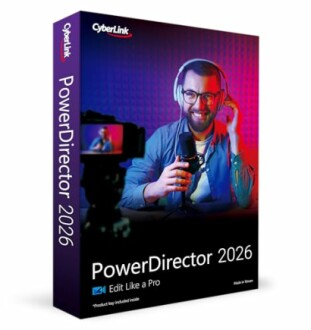
CyberLink PowerDirector 2026 Review: The Ultimate Video Editing Software

Key Takeaways
- PowerDirector 2026 is designed for both beginners and professionals.
- Offers advanced AI features for effortless video editing.
- Includes tools for screen recording, audio enhancement, and background removal.
- Ideal for YouTube creators and content makers.
- Supports multiple video formats for versatile editing.
Unlock your creative potential with CyberLink PowerDirector 2026, the leading video editing software that empowers users to produce stunning videos with ease. Whether you're a budding YouTuber or a seasoned content creator, this software provides a suite of advanced tools designed to streamline your editing process and enhance your visual storytelling.
With features like AI-enhanced audio denoise, background removal, and intuitive screen recording capabilities, CyberLink PowerDirector 2026 is the perfect companion for anyone looking to elevate their video projects. Explore more about its exceptional features for video software or see how it compares to other photo editing software options.
About CyberLink PowerDirector 2026
CyberLink PowerDirector 2026 stands out in the crowded field of video editing software, combining a user-friendly interface with powerful features aimed at both beginners and experienced editors. This software is crafted to accommodate a variety of editing needs, making it an excellent choice for those involved in content creation, especially for platforms like YouTube.
Key Features
- Enhanced Screen Recording: Capture your screen and webcam simultaneously, allowing for seamless integration of both into your projects. Adjust placements easily to create a polished final product.
- Color Adjustment Controls: Automatically enhance color, contrast, and overall video quality to ensure your footage looks vibrant and professional.
- Frame Interpolation: Transform grainy footage into smoother visuals by adding AI-generated frames, available exclusively for Intel AI PCs.
- AI Object Mask: Automatically detect and mask objects in complex scenes, enabling you to highlight specific elements and apply stunning effects.
- Brand Kits: Manage your assets, colors, and designs to maintain a consistent and memorable video content style.
- AI Audio Denoise: Remove unwanted noises from your audio clips with just one click, restoring clarity to your sound.
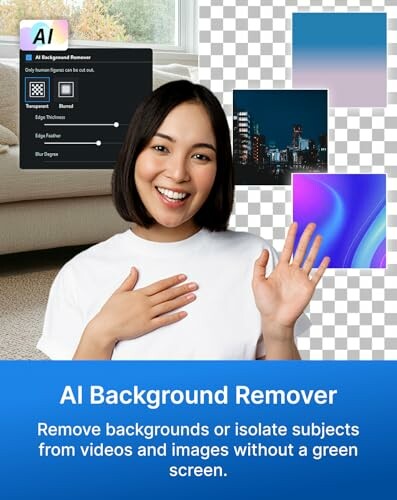
- AI Background Remover: Isolate subjects from videos and images easily, eliminating the need for a green screen.
- Speech to Text: Render dialogue into text and add auto captions in multiple languages, making your content more accessible.
Performance and Usability
PowerDirector 2026 excels in performance, delivering fast rendering speeds and efficient processing, which is crucial for video editing. The user interface is designed with simplicity in mind, ensuring that even those new to video editing can navigate the software with ease. Installation is straightforward, and users can find extensive support via user manuals and online resources.
Ideal Use Cases
- YouTube Creators: Perfect for those looking to produce high-quality content quickly.
- Social Media Influencers: Create engaging video content that stands out on platforms like Instagram and TikTok.
- Business Professionals: Craft professional presentations and marketing materials with ease.
- Hobbyists: Ideal for anyone interested in video editing as a creative outlet.
With its powerful features and user-friendly design, CyberLink PowerDirector 2026 is a compelling choice for anyone looking to enhance their video editing capabilities. For more software options, check out our programming and web development software or explore our design & illustration software.
Check Current PriceWhy Choose CyberLink PowerDirector 2026?
Pros
- Enhanced screen recording capabilities for seamless video creation.
- Advanced AI features like object masking and audio denoise for professional-quality results.
- User-friendly interface suitable for both beginners and advanced editors.
- Comprehensive tools for color adjustment and background removal.
- Support for multiple video formats and easy integration with various platforms.
Cons
- Some advanced features are limited to Intel AI PCs.
- Initial learning curve for users unfamiliar with video editing software.
- May require additional system resources for smooth operation of complex projects.
Overall, CyberLink PowerDirector 2026 offers an impressive range of features that cater to a variety of video editing needs. While there are a few limitations, the benefits significantly outweigh the drawbacks, making it a solid choice for anyone looking to elevate their video content.
Final Thoughts on CyberLink PowerDirector 2026
Tips for Buyers
When considering video editing software like CyberLink PowerDirector 2026, keep the following in mind:
- Evaluate your editing needs: Determine whether you require advanced features or if basic editing tools will suffice.
- Check system compatibility: Ensure your PC meets the requirements, especially for features like frame interpolation.
- Explore user reviews: Look for feedback from others to understand the software's strengths and weaknesses.
- Avoid unnecessary add-ons: Be cautious of extra features that may complicate your editing process.
In summary, CyberLink PowerDirector 2026 offers a rich array of features, making it an excellent choice for both beginners and seasoned video editors. Its advanced AI tools, such as AI audio denoise and background remover, significantly enhance the editing process, while the user-friendly interface ensures accessibility for all skill levels. However, potential buyers should be aware that some features are limited to specific hardware, and there may be a slight learning curve for newcomers.

Ultimately, if you're looking to create professional-quality videos for platforms like YouTube or social media, CyberLink PowerDirector 2026 is a highly recommended option. Its combination of powerful features, ease of use, and versatility makes it well worth the investment for anyone serious about video editing.
 Check Current Price