Readiris PDF Family 365 Review: The Ultimate PDF Converter Software
Key Takeaways
- Easily convert and edit PDF files with Readiris PDF Family 365.
- Scan and convert images into editable PDF files using OCR technology.
- Create, edit, and annotate PDF documents with the built-in PDF editor.
Introduction
Are you tired of struggling with PDF files, wishing you had a simple and efficient way to convert, edit, and manage them? Look no further than Readiris PDF Family 365, the ultimate PDF solution for individuals and businesses alike. With its powerful features and user-friendly interface, this software is about to revolutionize the way you work with PDFs.
- Readiris PDF Family 365 is a premium PDF converter that offers a wide range of features, including PDF conversion, editing, and management.
- With its OCR technology, you can easily scan and convert images into editable PDF files.
- The software also includes a PDF editor that allows you to create, edit, and annotate PDF documents.
Let's dive deeper into the features and benefits of Readiris PDF Family 365 in the next section.
About Readiris PDF Family 365
Readiris PDF Family 365 is a robust PDF management software designed to handle all your PDF needs seamlessly. It combines a powerful PDF converter, editor, and organizer into one comprehensive package, making it ideal for both personal and professional use. With the ability to manage multiple files simultaneously and an intuitive user interface, this software offers a streamlined experience that enhances productivity.
Key Features of Readiris PDF Family 365
- PDF Reader & Converter: Effortlessly convert JPEG, TIFF, BMP, and images to PDF files while also being able to convert PDFs to Word and other office formats.
- PDF File Management: Find and replace words easily across documents and create searchable PDFs, enabling quick access to important content.
- Multi-File Import: Open and edit multiple PDF files simultaneously to compose new documents efficiently.
- Comprehensive OCR Support: Recognize text in scanned images with support for 138 languages, including Asian, Arabic, Cyrillic, and Hebrew.
- Advanced Editing Tools: Create, edit, annotate, and manage documents with features such as highlighting, underlining, and striking out text.
Performance and Ease of Use
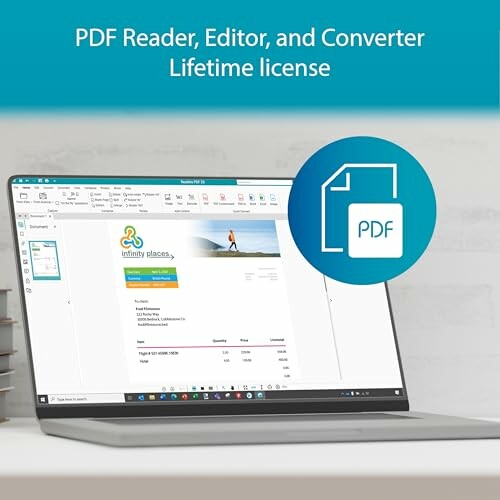
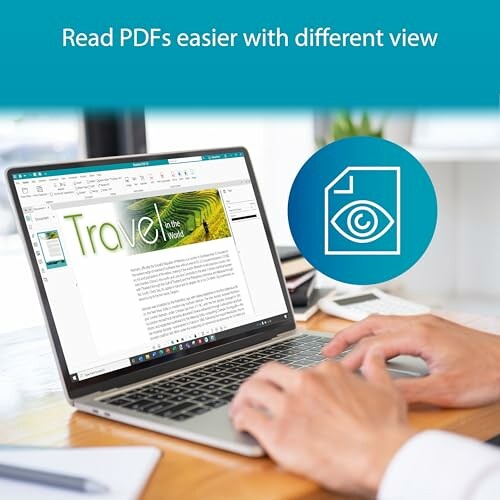
Readiris PDF Family 365 stands out for its performance, ensuring quick and efficient processing of documents. The software is designed for ease of use, with a simple installation process and a user-friendly interface. Users can navigate the application with minimal effort, making it suitable for all skill levels, from beginners to advanced users.
| Feature | Description |
|---|---|
| PDF Conversion | Convert various file types to and from PDF with high accuracy. |
| OCR Technology | Utilize advanced OCR to edit scanned documents. |
| Document Management | Efficiently organize and manage multiple PDFs in one place. |
| Editing Features | Comprehensive tools for annotating and editing PDF files. |
Ideal Use Cases
Readiris PDF Family 365 is perfect for:
- Professionals who need to manage and edit large volumes of documents.
- Students and educators looking to convert and annotate educational materials.
- Businesses requiring a reliable PDF solution for contracts and reports.
 Check Current Price
Why Choose Readiris PDF Family 365?
Pros
- Versatile Conversion: Easily convert various file formats like JPEG, TIFF, and PDFs to Word and other office files, enhancing productivity.
- Comprehensive Editing Tools: Powerful features for editing, annotating, and managing PDFs, making document handling seamless.
- Multi-Document Management: Open and edit multiple PDF files simultaneously, allowing for efficient document composition.
- Advanced OCR Technology: Supports 138 languages, enabling accurate text recognition in scanned documents.
- User-Friendly Interface: Designed for all skill levels, the intuitive layout ensures easy navigation and usability.
Cons
- Learning Curve: Some advanced features may require a bit of time to master for new users.
- Performance on Large Files: May experience slower processing speeds when handling very large PDF documents.
- Limited Mobile Functionality: Primarily designed for desktop use, which might not suit users who prefer mobile applications.
Overall, Readiris PDF Family 365 offers a range of powerful features that make it an excellent choice for anyone looking to enhance their PDF management capabilities, despite a few minor drawbacks. Its strong conversion, editing, and organizational tools ensure a positive user experience.
Unlocking the Full Potential of Readiris PDF Family 365: Tips and Recommendations
Tips for Buyers
When looking for a PDF management solution like Readiris PDF Family 365, it's essential to consider a few key factors to ensure you find the right tool for your needs. Here are some tips to keep in mind:
- Assess Your Needs: Determine the specific features you require, such as PDF conversion, editing, or management, and choose a software that meets those needs.
- Evaluate User Interface: Opt for a user-friendly interface that suits your skill level and preferences.
- Check Compatibility: Ensure the software is compatible with your operating system and can handle the types of files you work with.
By considering these factors, you can make an informed decision and find a PDF management solution that meets your requirements.
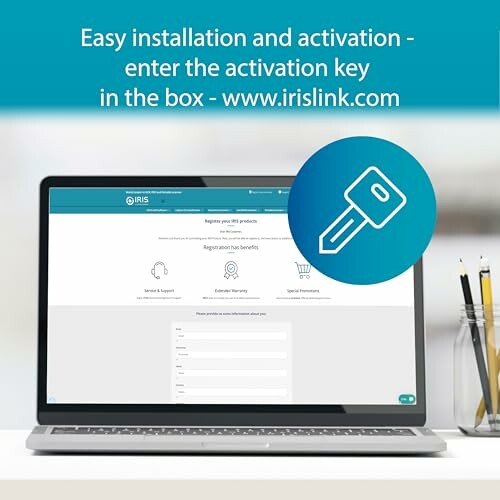
Don't forget to register your product and activate your license for full access to features and support.
Summary of Benefits and Drawbacks
Readiris PDF Family 365 offers a range of powerful features that make it an excellent choice for anyone looking to enhance their PDF management capabilities. Its strong conversion, editing, and organizational tools ensure a positive user experience. However, some users may experience a learning curve when mastering advanced features, and the software may slow down when handling very large PDF documents.
| Key Benefits | Key Drawbacks |
|---|---|
| Strong conversion and editing capabilities | May require time to master advanced features |
| Comprehensive organizational tools | May slow down when handling large PDF documents |
Final Recommendation
Based on our in-depth review, we highly recommend Readiris PDF Family 365 to anyone looking to streamline their PDF management process. Its versatility, user-friendly interface, and powerful features make it an excellent choice for individuals and businesses alike. With proper use and a bit of practice, you can unlock the full potential of this software and take your PDF management to the next level.
Don't wait any longer to experience the benefits of Readiris PDF Family 365. Get started today and discover a more efficient and organized way to manage your PDF files!
Explore More Software Management Solutions Discover Accounting & Finance Solutions Learn About Antivirus & Security Software Explore Design & Illustration Tools Discover Music Production Software Learn About Photography Editing Tools Explore Programming & Web Development Solutions Check Current Price