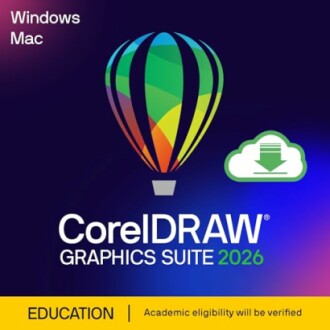
CorelDRAW Graphics Suite 2026 Review: The Ultimate Graphic Design Software
Key Takeaways
- Advanced AI-driven features for image generation and editing.
- Wide range of applications for graphic design, vector illustration, and photo editing.
- Supports multiple file formats for maximum versatility.
- Designed specifically for students and educational use.
- Improved user interface and performance enhancements.
The CorelDRAW Graphics Suite 2026 is a powerful graphic design software tailored for professionals, offering a comprehensive set of tools for vector illustration, layout, and photo editing. With innovative AI features and an intuitive interface, it simplifies complex design tasks while empowering creativity.
This educational edition is perfect for students and educators, providing access to high-quality design capabilities without the commercial usage restrictions. Whether you are creating brochures, marketing materials, or intricate illustrations, CorelDRAW 2026 ensures precision and professional results.
About CorelDRAW Graphics Suite 2026
CorelDRAW Graphics Suite 2026 is an advanced graphic design software suite that combines a variety of applications for vector illustration, layout, and photo editing. This powerful tool is ideal for both beginners and professionals who are looking to create stunning designs with ease. The educational edition is particularly beneficial for students and educators, allowing for high-quality design capabilities without commercial restrictions.
Key Features
- AI-driven tools: Utilize the latest text-to-image and content-to-image AI generation features, along with AI image remix capabilities and background removal tools for efficient design.
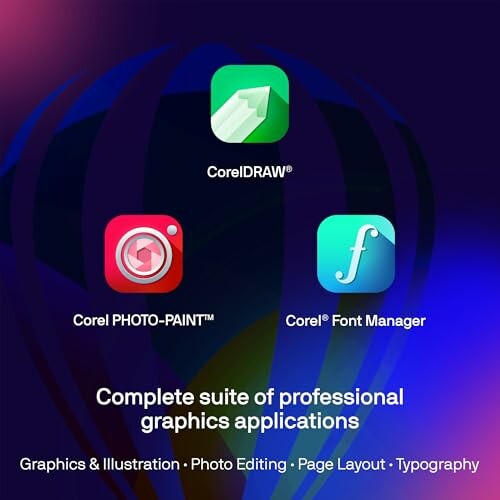
- Extensive toolbox: Access a wide array of applications tailored for vector illustration, layout design, photo editing, and font management, all designed to enhance your creative workflow.
- Layer-based editing: Take advantage of powerful layer-based photo editing tools that allow for precise color adjustments, imperfection repairs, and special effects creation.
- Versatile file support: CorelDRAW supports a variety of file formats including AI, PSD, PDF, JPG, PNG, SVG, DWG, DXF, EPS, TIFF, HEIF, and WebP, ensuring compatibility with other graphic design software.
- Design for print and web: Enjoy accurate color consistency with integrated Pantone Color Palettes and advanced printing options, making it easy to produce high-quality work for both digital and print media.
Performance and Usability
The CorelDRAW Graphics Suite 2026 boasts a refreshed user interface that enhances usability, making it easier for users to navigate through its extensive features. Installation and setup are straightforward, allowing you to get started quickly. Additionally, the software offers robust customer support, ensuring assistance is available whenever needed.
Ideal Use Cases
This software is perfect for:
- Students: Those studying graphic design will find this tool invaluable for completing projects and assignments.
- Educators: Teachers can use CorelDRAW to create engaging educational materials.
- Non-profit organizations: Charitable organizations can leverage this software to produce marketing materials without commercial usage constraints.

Conclusion
With its array of advanced features and user-friendly design, CorelDRAW Graphics Suite 2026 is an exceptional choice for anyone looking to elevate their graphic design projects. Its powerful tools, extensive compatibility, and educational focus make it a standout option in the graphic design software market.
Check Current PriceWhy Choose CorelDRAW Graphics Suite 2026?
Pros
- Advanced AI tools for innovative image generation and editing.
- User-friendly interface designed for both beginners and professionals.
- Comprehensive graphics suite with extensive applications for various design needs.
- Support for a wide range of file formats ensuring versatility and compatibility.
- Perfect for educational institutions, students, and non-profit organizations.
Cons
- Not intended for commercial use, limiting its audience.
- Requires a decent computer for optimal performance due to its advanced features.
- Steeper learning curve for some of the more complex tools and features.
Overall, CorelDRAW Graphics Suite 2026 makes a compelling choice for graphic design enthusiasts and professionals alike, offering powerful features with a focus on user experience. Despite a few limitations, its advantages far outweigh any drawbacks, making it a valuable addition to any creative toolkit.
Your Path to Exceptional Design Awaits
Tips for Buyers
When purchasing graphic design software like CorelDRAW Graphics Suite 2026, consider the following:
- Assess your needs: Determine whether you require advanced features or basic editing capabilities.
- Check compatibility: Ensure the software is compatible with your operating system and hardware.
- Explore educational options: If you're a student or educator, look for special editions that offer significant savings.
- Utilize trial versions: Take advantage of free trials to test the software before committing to a purchase.
- Read reviews: Look for user reviews and expert opinions to gather insights on performance and usability.

CorelDRAW Graphics Suite 2026 stands out with its innovative AI-driven features, comprehensive toolkit, and educational focus. While it may have limitations regarding commercial use and may require a powerful PC for optimal performance, its benefits far outweigh these drawbacks. The software is designed to streamline the creative process, making it easier for users to produce stunning designs.
If you're a student, educator, or involved in a non-profit organization, this software is an invaluable resource that empowers you to bring your creative visions to life. With advanced tools for vector illustration, layout, and photo editing, CorelDRAW 2026 is a wise investment for anyone serious about graphic design.
In conclusion, if you are ready to elevate your design projects and take advantage of powerful editing and illustration capabilities, CorelDRAW Graphics Suite 2026 is the perfect choice.
Check Current Price