CorelDRAW Graphics Suite 2024 Review: Is it Worth the Investment?
Key Takeaways
- Professional graphics suite for vector illustration, layout, and image editing
- Includes graphics applications for vector illustration, layout, photo editing, font management, and more
- Design complex works of art with an expansive toolbox
Are you a graphic designer, illustrator, or artist looking for a comprehensive suite of professional graphics applications to help you bring your creative vision to life? Look no further than CorelDRAW Graphics Suite 2024, a powerful and intuitive software solution that offers a wide range of tools and features to help you create stunning visual content.
About CorelDRAW Graphics Suite 2024
CoredlDRAW Graphics Suite 2024 is a comprehensive suite of professional graphics applications that offers a wide range of tools and features to help you create stunning visual content. This powerful software solution is specifically designed for vector illustration, layout, and image editing, making it an ideal choice for graphic designers, illustrators, and artists.
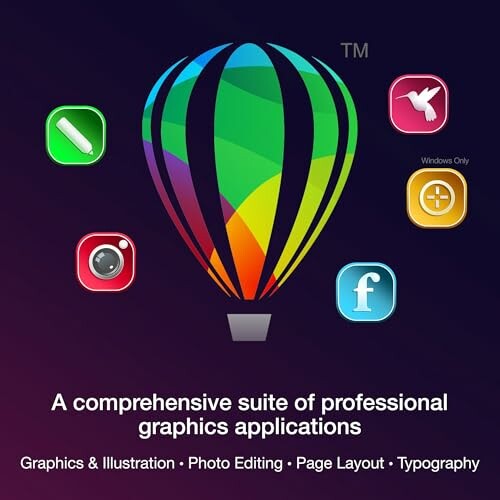
The suite includes a variety of graphics applications that cater to different aspects of graphic design, such as vector illustration, layout, photo editing, font management, and more. These applications are designed to work seamlessly together, allowing you to easily switch between tasks and workflows.
| Key Feature | Description |
|---|---|
| Vector Illustration | Create complex illustrations and designs using the suite's powerful vector editing tools. |
| Layout and Page Design | Design and layout complex documents, brochures, and presentations using the suite's page design tools. |
| Photo Editing | Enhance and edit your photos using the suite's advanced photo editing tools, including support for RAW image files. |
| Font Management | Organize and manage your font collection using the suite's font management tools. |
The suite also offers a range of advanced features, including support for Pantone Dualities color palettes, an Enhanced Painterly Brush tool, and a streamlined non-destructive effects workflow. These features allow you to create complex designs and effects with ease, and to output your work in a variety of formats, including print-ready PDFs and web-optimized images.
Design for Print or Web
Experience flawless publishing and output with the suite's advanced printing options and a collection of web graphics tools and presets.

The suite also offers extensive file support, including popular graphics, publishing, and image formats such as AI, PSD, PDF, JPG, PNG, SVG, DWG, DXF, EPS, TIFF, HEIF, WebP, and many more.
- Enjoy seamless integration with other Corel applications, such as CorelDRAW and Corel PHOTO-PAINT.
- Take advantage of the suite's advanced collaboration features, including real-time commenting and mark-up tools.
What You'll Love and What You'll Tolerate
Pros
- New features like Pantone Dualities color palettes and Enhanced Painterly Brush tool give you more creative freedom
- Professional graphics suite offers a wide range of tools and features for vector illustration, layout, and image editing
- Design complex works of art with an expansive toolbox and easily switch between tasks and workflows
- Powerful photo editing tools allow you to adjust color, fix imperfections, and improve image quality with AI
- Extensive file support includes popular graphics, publishing, and image formats for seamless collaboration
Minor Quibbles
- Limited compatibility with older file formats may require additional conversion steps
- Somewhat steep learning curve for new users due to the suite's comprehensive feature set
- May require additional hardware resources for smooth performance, especially with large files
In conclusion, while the CorelDRAW Graphics Suite 2024 may have a few minor drawbacks, its numerous strengths and innovative features make it an excellent choice for graphic designers, illustrators, and artists seeking a comprehensive and powerful graphics suite. Overall, the pros greatly outweigh the cons, and we highly recommend giving it a try.
Unlock Your Creative Potential with CorelDRAW Graphics Suite 2024
If you're a graphic designer, illustrator, or artist looking for a comprehensive suite of professional graphics applications, you've come to the right place. In this review, we've covered the key features, benefits, and drawbacks of CorelDRAW Graphics Suite 2024, a powerful and intuitive software solution that offers a wide range of tools and features to help you create stunning visual content.

Before making a purchase, here are some tips to keep in mind when buying similar products:
- Look for a comprehensive suite of graphics applications that cater to different aspects of graphic design, such as vector illustration, layout, and photo editing.
- Check for compatibility with your operating system and hardware resources.
- Consider the file formats supported by the software, as well as its collaboration features and output options.
When shopping for similar products, beware of common mistakes to avoid:
- Don't settle for a single tool or application that doesn't offer a range of features and functionality.
- Avoid software that lacks compatibility with your operating system or hardware resources.
- Don't overlook the importance of file format support and collaboration features in your software choice.
In conclusion, the CorelDRAW Graphics Suite 2024 is an excellent choice for graphic designers, illustrators, and artists seeking a comprehensive and powerful graphics suite. Its numerous strengths and innovative features make it a valuable investment for anyone looking to unlock their creative potential. With its seamless integration, advanced collaboration features, and extensive file support, you'll be able to create stunning visual content with ease. Give it a try and see the difference for yourself!
Explore more design and illustration software options Check Current Price