SchedulePro Review: Top Project Management Software for Windows PCs
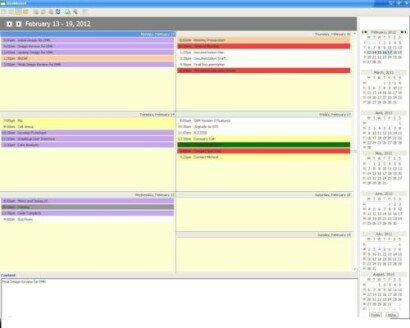
Key Takeaways:
- Streamline project management and scheduling with SchedulePro
- Customize and control schedule summaries, types, progress, and attributes
- Manage project status, priority, and impact with ease
- Cross-platform compatibility with Win PCs
Are you tired of juggling multiple tasks, projects, and deadlines? Do you struggle to stay organized and on top of your workflow? Look no further than SchedulePro Project Management and Scheduling Software, a powerful tool designed to help you streamline your workflow and achieve your goals.
With its intuitive interface and robust features, SchedulePro makes it easy to manage your projects and schedules, prioritize tasks, and track progress. Whether you're a business owner, manager, or individual looking to boost productivity, SchedulePro is the perfect solution for you.
Discover how SchedulePro can transform your workflow and take your productivity to the next level. Read on to learn more about its features, benefits, and how it can help you achieve your goals.
Check out our other software reviews, including Accounting Software and Project Management Software to find the perfect tool for your needs.
About SchedulePro
SchedulePro Project Management and Scheduling Software is a powerful tool designed to help you streamline your workflow and achieve your goals. With its intuitive interface and robust features, SchedulePro makes it easy to manage your projects and schedules, prioritize tasks, and track progress.
Whether you're a business owner, manager, or individual looking to boost productivity, SchedulePro is the perfect solution for you. Its cross-platform compatibility with Win PCs means you can access your projects and schedules from anywhere, at any time.
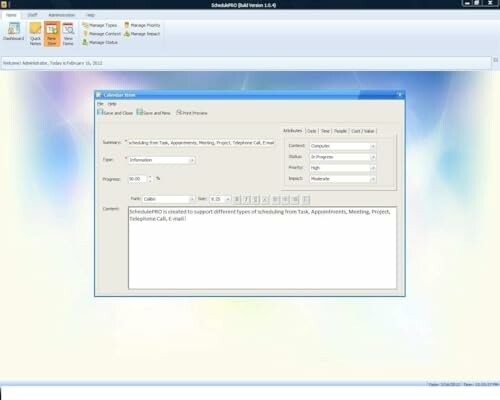
SchedulePro offers a range of features that help you manage your projects and schedules with ease. Here are some of the key features:
- Manage Project and Schedule status: Not Started, In Progress, Cancelled, Completed, Next Action, Pending, Waiting, Deferred, Requested, Approved, Reopened, Reviewed, Testing, Verified and Resolved.
- Manage Priority of Project: Lowest, Low, Medium, High, Highest
- Manage impact: Trivial, Minor, Moderate, Major, Critical, Extreme
- Easily Customize and control schedule summaries, types, progress and attributes.
- Easily Customize and control Start date, End date, Due Date and notify date.
SchedulePro also allows you to customize and control schedule summaries, types, progress, and attributes, making it easy to track your progress and make adjustments as needed. You can also customize the start date, end date, due date, and notify date, giving you complete control over your project timeline.
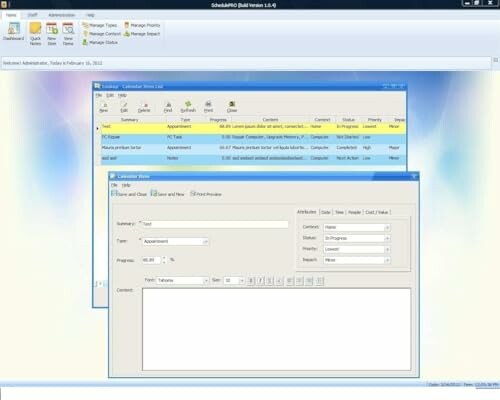
SchedulePro is designed to be user-friendly, making it easy to get started and start managing your projects and schedules right away. Its intuitive interface and robust features make it the perfect solution for anyone looking to boost their productivity and achieve their goals.
Whether you're a business owner, manager, or individual, SchedulePro is the perfect tool for you. Check out our other software reviews, including and to find the perfect tool for your needs.
| Key Features | Description |
|---|---|
| Project and Schedule Management | Manage project and schedule status, priority, and impact with ease. |
| Customizable Schedule Summaries | Customize and control schedule summaries, types, progress, and attributes. |
| Start and End Date Management | Customize the start date, end date, due date, and notify date. |
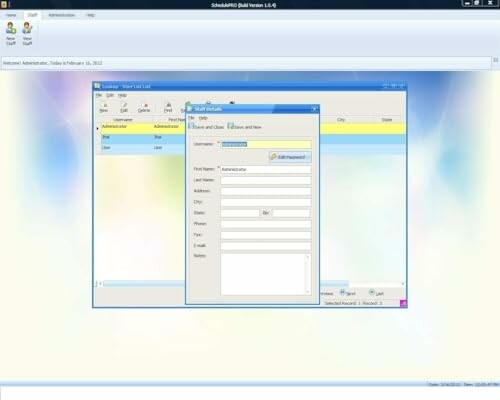
SchedulePro is a powerful tool that can help you streamline your workflow and achieve your goals. Its intuitive interface and robust features make it the perfect solution for anyone looking to boost their productivity and achieve their goals.
Don't let disorganization hold you back any longer. Try SchedulePro today and start achieving your goals!
Check Current PriceWhy Choose SchedulePro?
Pros
- User-friendly interface that simplifies project management.
- Comprehensive project status management for better tracking.
- Customizable features allow for tailored scheduling and prioritization.
- Cross-platform compatibility ensures access from Win PCs anywhere.
- Robust priority and impact management enhances decision-making.
Cons
- Limited to Windows PCs, which may not suit all users.
- Initial learning curve for those unfamiliar with project management software.
- Some features may feel overwhelming for very small projects.
Overall, SchedulePro offers a powerful, user-friendly solution for managing projects and schedules efficiently. While it has a few drawbacks, its extensive features and customization options make it a worthwhile investment for anyone looking to boost productivity.
Final Thoughts on SchedulePro: A Smart Choice for Effective Management
Tips for Buyers:
- Identify your specific project management needs before purchasing any software.
- Consider the learning curve associated with the software; choose one that matches your comfort level.
- Look for customizable features that align with your project requirements.
- Check for compatibility with your operating system for seamless integration.
- Avoid common mistakes by thoroughly exploring user reviews and demonstrations before making a purchase.
In summary, SchedulePro Project Management and Scheduling Software is an excellent tool that combines a user-friendly interface with robust features, making it ideal for managing projects and schedules effectively. Its ability to customize project status, priority, and impact allows users to tailor the software to their specific workflow needs. However, potential buyers should be mindful of its Windows-only compatibility and the initial learning curve that may be encountered.
Based on the comprehensive features and positive attributes of SchedulePro, it is highly recommended for anyone looking to enhance their productivity and streamline their project management processes. Don’t let disorganization hinder your success—embrace the advantages that SchedulePro offers and take the next step towards achieving your goals.
Check Current Price