Utilizing Family Tree Heritage Gold for Genealogy Research
Key Takeaways
- Family Tree Heritage Gold offers access to over 14 billion historical records.
- It supports multiple views for navigating family databases.
- The software allows the creation and printing of customized family tree charts.
- TreeTips technology aids users in finding records related to their ancestors.
- It accommodates diverse family structures including same-sex and non-traditional relationships.
Genealogy research is an exciting journey into our past. With the right tools, uncovering family history can become an enjoyable task rather than a daunting one. One such tool is Family Tree Heritage Gold, a powerful software designed to help you build and manage your family tree. This article will delve into how you can effectively use this software to enhance your genealogy research.
What is Family Tree Heritage Gold?
Family Tree Heritage Gold is a comprehensive genealogy software that provides users with an intuitive platform to create, organize, and share family trees. It is compatible with Windows 11, 10, & 8, and it comes equipped with various features that aid in the research process.
Key Features
| Feature | Description |
|---|---|
| Access to Historical Records | More than 14 billion historical records, photos, and documents available for free. |
| TreeTips Technology | Provides hints and suggestions for finding records about your ancestors. |
| Multiple Views | Pedigree, Descendants, Family, Name Lists, Individual, and Timeline views enhance navigation. |
| Customizable Charts | Create and print family tree charts with personal background images. |
| Slideshow Feature | Share family history with engaging slideshows during gatherings. |
| Inclusivity | Supports same-sex and non-traditional family relationships in trees. |
Getting Started with Family Tree Heritage Gold
To effectively utilize Family Tree Heritage Gold for your genealogy research, here are some essential steps:
1. Installing the Software
Download the software from the official website or access it via the product page. Follow the installation prompts to get started.
2. Creating Your Family Tree
Begin by entering your personal details and then work backward, adding information about relatives. Utilize the multiple views available in the software to visualize your family tree.
3. Accessing Historical Records
Take advantage of the software's access to over 14 billion records. Search through these records using the TreeTips technology, which guides you to relevant documents.
4. Customizing Your Family Tree
You can create personalized charts and even print them out. To do this, use the built-in chart maker that allows you to select background images and formats.
5. Sharing Your Family History
Engage family members by creating a slideshow of your findings, perfect for sharing during family reunions.
Pros and Cons of Family Tree Heritage Gold
Pros
- User-friendly interface for easy navigation.
- Access to a vast array of historical records.
- Inclusive features for diverse families.
Cons
- May require a learning curve for first-time users.
- Some features may be overwhelming for beginners.
FAQs About Using Family Tree Heritage Gold
Can I sync my family tree with other platforms?
Yes, Family Tree Heritage Gold allows you to sync with FamilySearch, making it easier to update and maintain your family history.
Is the software suitable for beginners?
Absolutely! While it has advanced features, its user-friendly design makes it accessible even for those new to genealogy.
Conclusion
Family Tree Heritage Gold is an invaluable tool for anyone interested in genealogy. By utilizing its powerful features, such as access to vast resources and customizable charts, you can create a beautiful family tree that tells your family's unique story. Start exploring today and discover fascinating details about your ancestry!
 Top Choice
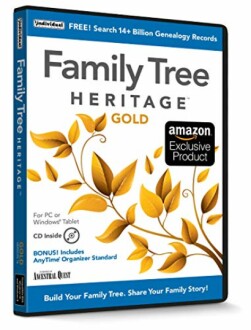
Family Tree Heritage Gold 16
This comprehensive genealogy software allows you to organize, build, and share your family tree with ease, providing access to over 14 billion historical records.
Learn MoreAdditional Resources
If you're looking to further enhance your skills with software, consider exploring our additional resources on:


