
Ten Tips for Using Bookkeeping Software Effectively
Key Takeaways
- Choose the right bookkeeping software that fits your business needs.
- Regularly back up your financial data for security and peace of mind.
- Utilize all features, including tax forms and electronic filing options.
- Stay updated with the latest software version for optimal performance.
- Train yourself and your staff on utilizing the software's full capabilities.
In today's fast-paced business environment, staying on top of your finances is crucial. Utilizing bookkeeping software can streamline this process, but there are several tips and tricks to maximize their efficiency. This guide aims to provide you with practical advice to enhance your bookkeeping experience.
1. Select the Right Bookkeeping Software
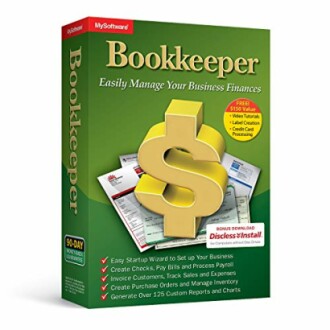
Choosing the right software is the foundation of effective bookkeeping. Consider factors like the size of your business, the complexity of your financial transactions, and specific features you need. A popular choice is Bookkeeper: Easily Manage Your Business Finances, which provides streamlined financial management capabilities.
 Top Choice
Bookkeeper: Easily Manage Your Business Finances
Streamline your financial processes with this easy-to-use bookkeeping software that aids with tax forms and electronic filing.
Learn More2. Set Up Your Software Correctly
Once you have chosen your bookkeeping software, be sure to configure it according to your business needs. This includes setting up accounts, categories, and transaction types.
3. Regularly Backup Your Data
Your financial data is invaluable. You should regularly back up your bookkeeping records to avoid any loss due to technical issues. Most software solutions offer built-in backup options, so take advantage of these features.
4. Keep Your Software Updated
Software updates usually include new features and security enhancements. Ensure your bookkeeping software is always updated to the latest version for optimal performance and security.
5. Utilize Tax Features
Most bookkeeping software, such as Bookkeeper: Easily Manage Your Business Finances, come equipped with tools for filing tax forms electronically. These features can save you time and help ensure compliance with tax laws.
6. Take Advantage of Custom Reports
Many bookkeeping programs allow you to generate customized reports. Use these to gain insights into your financial health. This includes profit and loss statements, cash flow reports, and budget comparisons.
7. Train Yourself and Your Staff
Invest time in learning the software's features. Offering training for your team can enhance productivity and ensure everyone is on the same page when it comes to financial record-keeping.
8. Monitor Financial Transactions Regularly
Regularly review your transactions to avoid discrepancies. Frequent checks can help catch errors early and keep your books accurate.
9. Leverage Support Resources
Don't hesitate to utilize the help resources provided by your software. Most platforms offer customer support, forums, and tutorials that can assist in resolving issues or answering questions.
10. Stay Organized Throughout the Year
Organizing your financial records consistently can ease the stress during tax season. Keep all receipts, invoices, and bank statements neatly filed and easily accessible within your bookkeeping software.
Conclusion
Implementing these ten tips can greatly enhance your experience with bookkeeping software, leading to more efficient financial management. Discover more insights and tools in our related resources covering various software topics in our Software Tips and Tricks section. Happy bookkeeping!
Beginner's Tips
- Watch online tutorial videos specific to your bookkeeping software.
- Start with the basic features and gradually explore advanced functionalities.
- Consider using templates for invoices and expense tracking.


