
Streamlining Your Bookkeeping with Bookkeeper Software
Key Takeaways
- Bookkeeper software helps simplify financial management.
- It offers features like electronic tax form filing and custom check printing.
- Using Bookkeeper can enhance productivity and accuracy in your bookkeeping process.
- Integration with other tools can further optimize your bookkeeping workflow.
- Learning shortcuts within the software can save time and reduce errors.
In today's fast-paced business environment, efficient financial management is crucial for success. Streamlining your bookkeeping processes can save time, reduce stress, and allow you to focus on what really matters—growing your business. One of the best tools for achieving this is bookkeeping software. In this article, we'll explore strategies to optimize your bookkeeping using Bookkeeper software, ensuring your finances are managed effortlessly.
What is Bookkeeper Software?
Bookkeeper software is a financial management tool designed to simplify and automate various bookkeeping tasks. It allows users to track income and expenses, manage invoices, and keep detailed financial records, streamlining the entire bookkeeping process.
Key Features of Bookkeeper Software
- Easy management of business finances
- Electronic form filing for W-2 and 1099 forms
- Support for new tax forms, including 1099-NEC
- Customization options for check printing
- Ongoing support for tax updates
Benefits of Using Bookkeeper Software
Implementing Bookkeeper software in your financial management can yield numerous benefits:
Pros
- Simplifies tracking financial data
- Helps in timely tax filing with integrated forms
- Improves accuracy by reducing manual errors
- Allows for easy access to financial reports
Cons
- Initial learning curve for new users
- Customization options for checks may be limited
How to Optimize Your Bookkeeping Process
1. Familiarize Yourself with Bookkeeper Software
Understanding how to navigate the software and utilize its features is essential. Take the time to explore the interface and review the help documentation. For additional tips on utilizing various software effectively, check out our article on software tips and tricks.
2. Set Up a Regular Schedule
Consistency is key. Create a routine for entering transactions and reconciling accounts. Regular visits to the software will prevent backlogs and maintain accurate financial records.
3. Utilize Electronic Filing Features
Bookkeeper software supports electronic filing for W-2, 1099-NEC, and 1099-MISC. Take advantage of this feature to simplify and expedite the process.
How Bookkeeper Software Compares to Other Options
| Feature | Bookkeeper Software | Manual Accounting | Other Software Options |
|---|---|---|---|
| Automation | High | None | Varied |
| Ease of Use | Easy | Complex | Variable |
| Support for Tax Forms | Comprehensive | None | Limited |
| Customization Options | Limited | N/A | High |
Product Spotlight: Bookkeeper Software
 Top Choice
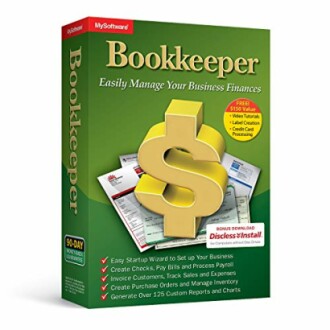
Bookkeeper: Easily Manage Your Business Finances
Bookkeeper software is designed to simplify the management of your business finances, offering features like electronic tax form filing and comprehensive support for the latest tax regulations.
Learn MoreIntegrating Other Tools with Bookkeeper Software
Enhancing your bookkeeping capabilities often involves integrating other software tools. Consider the following integration options:
- Accounting Software for advanced financial analysis
- Design Software for invoices and quotes
- Video Software for creating tutorials on using your bookkeeping software
Conclusion
Using Bookkeeper software to streamline your bookkeeping processes can significantly improve your efficiency and accuracy in managing your business finances. By implementing the tips discussed, including familiarization with the software, maintaining a consistent schedule, and utilizing electronic filing, you can make bookkeeping a seamless part of your business operations.
For further resources on enhancing your bookkeeping and financial skills, visit our Accounting & Finance Resources page.


