Maximizing Your Music Production Capabilities
Key Takeaways
- Understanding your audio interface is critical for optimal sound quality.
- Utilizing digital audio workstations (DAWs) effectively can enhance productivity.
- Incorporating plugins and sound libraries expands your music production toolkit.
- Regularly practicing and experimenting with different sounds fosters creativity.
- Networking with other musicians can provide insights and constructive feedback.
Creating high-quality music has never been more accessible with today's advanced software tools and hardware. Whether you're a budding musician or a seasoned producer, there are essential tips and tricks that can help you maximize your music production capabilities. In this guide, we’ll explore techniques for both beginners and advanced users, focusing on effective use of music software and hardware tools.
Understanding Audio Interfaces
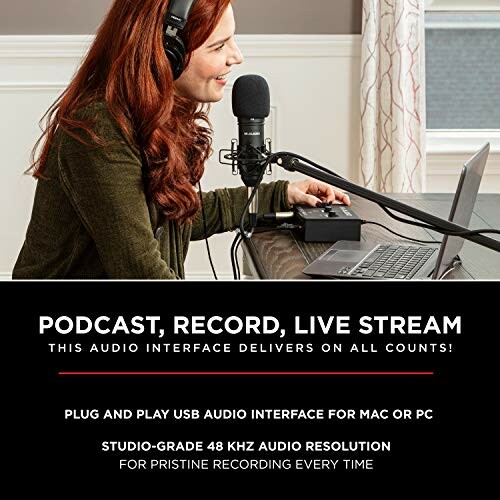
Your audio interface is the bridge between your instruments and your computer. Choosing the right one and understanding its functionalities can significantly improve your recording quality. Here we will discuss a standout product:
 Essential tool for creators
M-Audio M-Track Solo – USB Audio Interface
This portable audio interface covers recording, streaming, and podcasting needs with high audio resolution and versatile input options.
Learn MoreKey Features of M-Audio M-Track Solo
- Delivers pristine 48 kHz audio resolution.
- Offers one combo XLR/Line input with phantom power.
- Includes a headphone output and stereo RCA output for flexible monitoring.
- Transparent Crystal Preamp for optimal microphone performance.
- Includes MPC Beats software for comprehensive production functionalities.
Choosing the Right Software
Your choice of Digital Audio Workstation (DAW) can drastically affect your music production experience. DAWs are equipped with a variety of features that cater to different genres and production styles. Here are some popular choices for beginners and seasoned professionals alike:
| DAW Name | Features | Best For |
|---|---|---|
| GarageBand | User-friendly interface, built-in drum patterns, and loops. | Beginners and Mac users. |
| FL Studio | Piano roll, plugins, suitable for electronic music. | Producers in EDM and hip-hop. |
| Ableton Live | Session view for live performances, rich library of sounds. | Live performers and electronic music producers. |
| Pro Tools | Industry standard, unlimited track count and editing features. | Professional studios and musicians. |
Incorporating Plugins and Virtual Instruments
Enhance your DAW's capabilities by exploring plugins and virtual instruments. They can add depth and character to your tracks. Here are some categories of plugins you should consider:
- Effects Plugins: Reverb, delay, and compression can make your tracks sound professional.
- Virtual Instruments: Simulate real instruments and sounds tailored to your genre.
- MIDI Effects: Transform the MIDI data and enhance performance options.
Tips for Effective Music Production
Beginner Tips
- Start simple: Begin with small projects to build your skills.
- Learn shortcuts: Familiarize yourself with keyboard shortcuts in your DAW.
- Utilize tutorials: Many online resources can help you with software specifics.
- Experiment: Don't hesitate to try new techniques and creative ideas.
Advanced Techniques
- Layer sounds: Combining multiple layers can create rich textures.
- Automation: Use automation for dynamic effects and transitions in your mixes.
- Analyze other tracks: Reverse-engineer your favorite songs to understand their structure.
Networking with Other Musicians
One of the best ways to improve your music production skills is to engage with other musicians. Here are some ways to connect:
- Join music forums and communities online.
- Attend workshops, both online and in-person.
- Collaborate on projects to gain insights and share knowledge.
Conclusion
Maximizing your music production capabilities requires both understanding your tools and continually enhancing your skills. By leveraging the right audio interface, choosing the appropriate software, and exploring various production techniques, you can unlock your full potential as a music creator. Dive into your music production journey, and remember to enjoy the process!
Pros
- High-quality audio recordings.
- Flexible input options for various instruments.
- Wide compatibility with software and hardware.
Cons
- May require additional setup for optimal performance.
- Learning curve for advanced software tools.


