
Maximizing Your Subscription with Microsoft 365
Key Takeaways
- Utilize the AI capabilities of Microsoft Copilot to enhance your productivity.
- Take advantage of 1TB OneDrive cloud storage for better file management.
- Explore hidden features in Word, Excel, and other applications.
- Protect your files with advanced security measures.
- Use technical support for any concerns regarding your software.
Microsoft 365 is an all-in-one productivity suite that combines powerful applications and cloud capabilities to help you stay organized and efficient. Many users often overlook some of the fantastic features that can enhance their experience and maximize their productivity. In this article, we will delve into various tips and tricks, along with detailed discussions on effective usage scenarios for your Microsoft 365 subscription.
Why Choose Microsoft 365?
With its extensive range of applications and services, Microsoft 365 offers unparalleled flexibility for both personal and professional use. Here are a few standout features that make it an ideal subscription choice:
| Feature | Description |
|---|---|
| Microsoft Apps | Includes essential tools like Word, Excel, and PowerPoint. |
| 1TB OneDrive Cloud Storage | Securely store and access files from any device. |
| Advanced Security | Protect your data with built-in security features. |
Must-Know Features to Enhance Productivity
1. Utilizing Microsoft Copilot
One of the newest innovations in Microsoft 365 is Microsoft Copilot, an AI-powered tool designed to streamline your work across all applications. Here’s how you can effectively use it:
- Enhance document formatting in Word.
- Quickly analyze data trends in Excel.
- Create impactful presentations in PowerPoint.
2. Maximizing OneDrive Storage
With 1TB of cloud storage, organizing and sharing files has never been easier. Here are some strategies:
- Use folders to categorize files by project or subject.
- Share files with colleagues directly from OneDrive, allowing real-time collaboration.
- Enable version history to retrieve and manage previous file versions.
3. Advanced Security Features
Keeping your data safe is paramount. Microsoft 365 offers several security features:
- Enable Two-Step Verification for added protection.
- Use the Personal Vault in OneDrive for sensitive documents.
- Leverage Microsoft Defender for proactive threat detection.
Tips for Everyday Use
1. Explore Additional Tools
Discover lesser-known tools that can aid your workflow:
- Clipchamp: A video editor to enhance multimedia presentations.
- Designer: AI-powered image creation and editing tool.
2. Leverage Customer Support
Don't hesitate to reach out for help! Microsoft offers robust technical support that can assist you in:
- Resolving software issues via chat or phone.
- Accessing detailed product guides and tutorials.
3. Regularly Update Your Software
Keeping your Microsoft 365 applications updated ensures you benefit from the latest features and security enhancements. Enable auto-updates to make this process effortless.
Comparison: Microsoft 365 vs. Other Productivity Suites
To put Microsoft 365's appeal into perspective, here's a quick comparison with alternative productivity suites:
| Feature | Microsoft 365 | Competitor A | Competitor B |
|---|---|---|---|
| Cloud Storage | 1TB OneDrive | 30GB | 50GB |
| Office Applications | Word, Excel, PowerPoint | Basic Document Editor | Limited Functionality |
| AI Features | Yes, with Copilot | No | Basic Automation |
Conclusion
Maximizing your subscription with Microsoft 365 requires exploring its powerful features and tools. With regular use of advanced tools like Microsoft Copilot, effective storage management with OneDrive, and robust security protocols, you can significantly enhance productivity. Always remember to keep your software updated and utilize customer support whenever needed. Happy productivity!
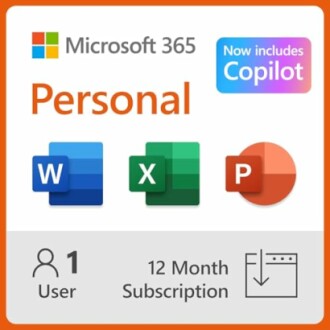 Top Choice for Productivity
Microsoft 365 Personal
A comprehensive subscription that includes premium Office apps, 1TB cloud storage, and advanced security features to enhance your productivity.
Explore NowFor more tips on software and productivity, check out our Software Tips and Tricks section and enhance your software skills today!


