
Maximizing Your Efficiency with CheckBuilderPro
- CheckBuilderPro allows for easy check printing on both Windows and Mac systems.
- Customize checks with logos and signatures for a personalized touch.
- No monthly subscription fees, making it a cost-effective solution for check management.
- Compatible with various bank accounts for both personal and business use.
- Features report generation and bank statement reconciliation for better financial oversight.
Managing finances through check writing can often be a cumbersome task. However, with CheckBuilderPro, you can streamline your check-writing procedures and enhance your overall financial management. This article explores best practices for using CheckBuilderPro to maximize your efficiency, from setup to customization and beyond.
What is CheckBuilderPro?
CheckBuilderPro is a powerful check printing software designed for users of both Windows and Mac. It provides you with the capability to create and print checks conveniently, all while offering multiple customization features that allow for a professional finish. Whether you are writing checks for your business or personal use, the software ensures that the process is both fast and efficient.
Key Features of CheckBuilderPro
| Feature | Description |
|---|---|
| Compatibility | Works on Windows PC (version 10 or newer) and Mac (version 10.9 or newer). |
| Multiple Accounts | Manage as many accounts as needed for both personal and business use. |
| Customizable Checks | Add logos, backgrounds, signatures, and fonts to personalize checks. |
| Reporting Features | Reconcile bank statements and print reports directly from the register. |
| No Hidden Costs | No monthly subscriptions and no printing fees apply. |
Setting Up CheckBuilderPro
To get started with CheckBuilderPro, follow these simple steps:
- Download the software from the official website.
- Install it following the on-screen instructions.
- Launch the application and input your business or personal bank account details.
- Customize your check template by adding your logo and selecting fonts.
Best Practices for Using CheckBuilderPro
To maximize the efficiency of CheckBuilderPro, consider the following best practices:
- Regularly update your software for the latest features and security improvements.
- Keep your bank account information current to avoid any issues with check printing.
- Utilize the reporting feature to analyze your expenditures and reconcile your bank statements effectively.
- Save your customized templates for future use to save time when printing checks.
Pros and Cons of CheckBuilderPro
Pros
- User-friendly interface that makes it easy for beginners.
- Customizable check options enhance professionalism.
- No need for monthly subscriptions or hidden fees.
- Compatible with popular banking software.
Cons
- Limited to U.S. banks for certain features.
- May require initial setup time for customization.
Conclusion
CheckBuilderPro is an excellent tool for anyone looking to simplify their check writing and financial management processes. By following best practices and taking advantage of its features, you can significantly enhance your productivity. For more detailed articles about managing finances effectively, check out our other resources, such as Accounting & Finance and Antivirus & Security.
 Top Choice
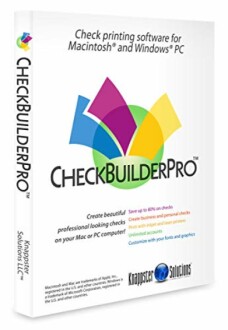
CheckBuilderPro - Windows & Mac Check Printing Software
CheckBuilderPro simplifies your check writing experience with its powerful features and unmatched customization options.
Learn More

