
Enhancing Your Bookkeeping with Bookkeeper Software
Key Takeaways
- Bookkeeper software can simplify financial management and make bookkeeping easier for small businesses.
- It offers features like electronic form filing and check printing to enhance efficiency.
- Utilizing the software’s tools effectively can lead to greater productivity and accuracy in managing finances.
Managing your business finances can be a daunting task, especially for small business owners who wear many hats. However, with the right tools, such as Bookkeeper software, your bookkeeping practices can become more streamlined and efficient. This article will provide you with essential tips on how to leverage Bookkeeper software to enhance your financial management.
Why Choose Bookkeeper Software?
Bookkeeper software is designed to simplify the bookkeeping process, offering features that allow you to manage finances effortlessly. Here are some reasons why it can be beneficial for your business:
- Easy Check Printing: Print to blank check stock efficiently.
- Electronic Filing: File W-2, 1099-NEC, and 1099-MISC forms online.
- Tax Compliance: Includes up-to-date tax tables for the current year.
Features of Bookkeeper Software
| Feature | Description |
|---|---|
| Check Printing | Ability to print checks on blank stock, making payments seamless. |
| Electronic Filing | Access third-party services for electronic filing of taxes. |
| Updated Tax Forms | Includes support for new tax forms like the 1099-NEC. |
| Yearly Updates | Offers tax tables that are regularly updated. |
Tips for Efficient Bookkeeping with Bookkeeper
Beginner's Tips
- Start with a detailed setup: Take the time to input your business information accurately.
- Make use of categories: Organize your transactions into categories for better financial tracking.
- Regularly update your software: Ensure you are using the latest version for optimal performance.
- Automate recurring invoices: Save time by automating bills that recur monthly.
- Review financial reports regularly: Familiarize yourself with financial reports to monitor business health.
Maximizing Your Bookkeeper Experience
Here are some advanced tips to get the most out of your Bookkeeper software:
- Utilize the Help Section: If you encounter issues or have questions, the help file can provide valuable information.
- Integrate Other Tools: Consider integrating other software solutions to enhance your overall financial management.
- Custom Reports: Customize reporting features to meet your specific business needs.
- Backup Your Data: Regularly backup your financial data to prevent loss of information.
- Train Your Team: Ensure your team is well-trained in using Bookkeeper to maximize its benefits.
Product Spotlight: Bookkeeper Software
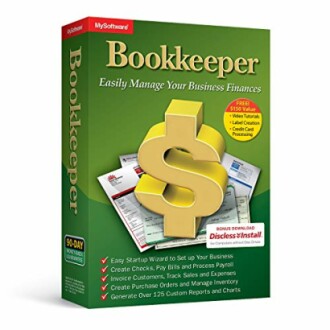 Simplified Financial Management
Bookkeeper: Easily Manage Your Business Finances
Bookkeeper offers a range of features that simplify your financial management, making bookkeeping easier for small businesses.
Learn MoreConnecting with Other Resources
Enhancing your bookkeeping practices is just one aspect of managing your business efficiently. For more insights on software, check out these resources:
- Accounting & Finance Software
- Photography Software
- Design & Illustration Software
- Lifestyle & Hobbies Software
- Latest Trends in Software
Conclusion
Efficient financial management is crucial for any small business, and utilizing Bookkeeper software can help simplify the process significantly. Whether it’s through easy check printing or up-to-date tax forms, being familiar with the software will allow you to take control of your finances. Start implementing these tips today and take your bookkeeping practices to the next level!


