How to Enhance Your Bookkeeping with Bookkeeper Software
Key Takeaways
- Utilize essential features like electronic form filing to simplify your tax process.
- Leverage the software’s customization options to tailor it to your needs.
- Stay updated with tax tables to ensure compliance and efficiency.
- Understand how to manage financial documentation easily.
For small business owners, managing finances efficiently can be a daunting task. Bookkeeper software provides tools designed to streamline financial management, ensuring that every aspect of your business's finances is organized and accessible. In this article, we will explore how to fully leverage the features of Bookkeeper to enhance your bookkeeping and simplify your financial processes.
Understanding Bookkeeper Software
Bookkeeper software is tailored to help small business owners like you manage their finances more effectively. It provides various features that can significantly improve how you process documents, file taxes, and track expenses. Let's take a closer look at some of these features.
Key Features of Bookkeeper
| Feature | Description |
|---|---|
| Check Printing | Print to blank check stock, though layout customization isn't currently available. |
| Electronic Form Filing | Easily file W-2, 1099-NEC, and 1099-MISC forms through a third-party service. |
| Tax Forms and Tables | Includes tax forms for the current year along with updated tables for compliance. |
| Expense Tracking | Keep a detailed record of all business-related expenses for easy reporting. |
How to Use Bookkeeper Software Effectively
Maximizing your experience with Bookkeeper software requires an understanding of its functions and best practices. Here’s how you can improve your bookkeeping:
1. Utilize Electronic Filing
The electronic filing feature is essential for modern bookkeeping, allowing you to submit important tax forms with ease. This is particularly beneficial for time-sensitive documents like W-2 and 1099 forms. Look into using a third-party service for smooth processing at a nominal fee.
2. Make Use of Tax Tables
Ensure that your software has the latest tax tables updated for the year. This helps in reducing errors and ensuring compliance. Bookkeeper software comes with tax tables included, which means you don’t have to spend extra time researching updates.
3. Track Your Business Expenses
Keeping track of your expenses can be tedious but is crucial. Use the expense tracking feature to ensure that every dollar spent is accounted for. This can give insights into where your money is going, making future budgeting easier.
Highlighted Product: Bookkeeper Software
 Top Choice
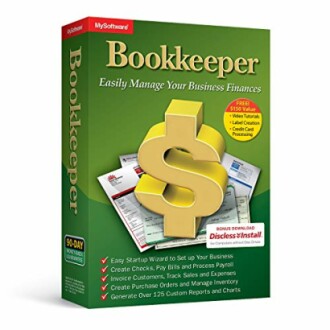
Bookkeeper: Easily Manage Your Business Finances
Bookkeeper software allows you to manage business finances effortlessly, offering features like check printing, electronic form filing, and support for the latest tax forms.
Learn MoreBenefits of Using Bookkeeper Software
Adopting Bookkeeper software as your bookkeeping solution can come with numerous advantages:
Pros
- User-friendly interface for easy financial management.
- Automated features save time and reduce manual errors.
- Access to real-time financial reporting and analytics.
- Support for multiple tax forms streamlines your tax preparation.
Cons
- Initial learning curve for new users unfamiliar with software.
- Customization of certain features is limited.
Tips for Beginners
Getting Started with Bookkeeper Software
- Take advantage of tutorials and support materials to familiarize yourself with the software.
- Set up a dedicated time each week to update your bookkeeping entries.
- Use the app for on-the-go access to your financial data.
- Engage in community forums for user tips and additional resources.
Conclusion
In the world of small business finance, having the right tools can make all the difference. Bookkeeper software can enhance your bookkeeping processes, provide insightful reporting, and ensure compliance with tax regulations. By utilizing its features and understanding how to integrate them into your workflow, you can significantly improve the efficiency of your business's financial management.
Further Reading
For more tips and tricks on software usage, explore our additional resources:


