Top Design Software for Beginners in 2025
Key Takeaways
- Discover user-friendly design software options for beginners.
- Learn how to start your creative journey with intuitive tools.
- Compare the features and benefits of various design software.
- Find detailed reviews and recommendations tailored for new users.
- Explore various types of design software including 2D, 3D, and animation tools.
For anyone looking to dive into the world of design, the first step is choosing the right software. Whether you're interested in graphic design, animation, or interior design, having the right tools can make all the difference. In this article, we will explore the top design software that is beginner-friendly and perfect for those embarking on their creative journey. Let's dig into the best options available in 2025!
Top Beginner-friendly Design Software
| Software | Type | Best For | Key Features | Link |
|---|---|---|---|---|
| Moho Debut 14 | Animation | Beginners in Animation |
|
Explore Now |
| Home Designer Suite | Interior Design | Remodeling and Home Projects |
|
Learn More |
1. Moho Debut 14
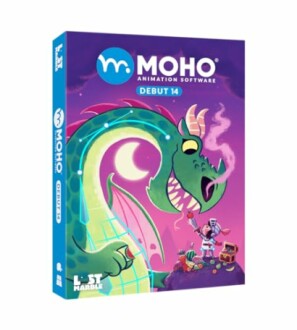 Perfect for beginners
Moho Debut 14 | Animation software for PC and macOS
Moho Debut offers comprehensive animation tools for new animators, enabling you to create stunning animations quickly using intuitive tools.
See Product2. Home Designer Suite
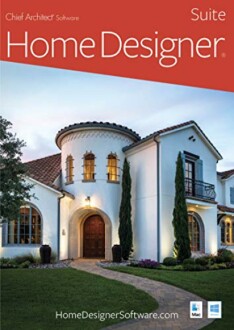 Ideal for home projects
Home Designer Suite - PC Download
This home design software is perfect for remodeling and interior design, featuring tools for 3D views and extensive libraries of design elements.
More Details3. Photoshop Elements
Photoshop Elements is a simplified version of Adobe Photoshop, making it an ideal choice for beginners who want to learn about photo editing. Its intuitive interface and tools like guided edits make the process seamless.
Comparison of Design Software Features
| Software | User Interface | Learning Curve | Unique Features |
|---|---|---|---|
| Moho Debut 14 | Intuitive | Easy | Bone rigging system |
| Home Designer Suite | Beginner-friendly | Moderate | 3D modeling and visualization |
| Photoshop Elements | Simple | Easy to moderate | Guided edits |
Conclusion
Choosing the right design software as a beginner can significantly impact your creative journey. Whether you opt for Moho Debut for animation, Home Designer Suite for interior design, or Photoshop Elements for photo editing, each software offers unique tools to help you develop your skills. Explore them and find the one that best fits your project needs!
Tips for Getting Started with Design Software
- Start with tutorials to familiarize yourself with the interface.
- Experiment with sample projects to build confidence.
- Join online communities or forums for support and advice.
- Don’t be afraid to explore all features; practice makes perfect!
- Set small goals and gradually work on complex projects.
Pros
- User-friendly interfaces for beginners.
- Variety of options for different types of projects.
- Accessible resources like tutorials and communities.
Cons
- Some software might lack advanced features.
- Pricing may be a consideration when starting out.
For more insights into various design software, check out our Buying Guides where we delve deeper into each category of design software to help you make informed decisions.


