
How to Select the Best Family Tree Software for Your Needs
- Consider the features that matter most for your genealogy research.
- Look for user-friendly interfaces to make navigation easier.
- Evaluate the software's compatibility with your operating system.
- Check for support and community engagement for troubleshooting help.
- Explore review comparisons to find the best options.
Choosing the right family tree software can be an overwhelming task, especially with the multitude of options available in the market. This guide aims to simplify your choices by breaking down essential features, usability, and additional tools to help you conduct thorough genealogy research.
Why Use Family Tree Software?
Family tree software is designed to help you organize and store your genealogy research. Whether you're a beginner or a seasoned genealogist, the right software can enhance your ability to build your family history. Here are several reasons to consider using family tree software:
- Organize complex family relationships.
- Access billions of historical records.
- Share family trees with relatives easily.
- Create graphical representations of your family lineage.
Key Features to Look For
When selecting family tree software, consider the following features:
| Feature | Description |
|---|---|
| User Interface | Look for a clean and intuitive design that makes navigation simple. |
| Record Access | Software that provides access to large databases can enrich your family research. |
| Charting Options | Choose software that allows creating various types of charts and diagrams. |
| Collaboration Tools | Some software enables sharing family trees with others for collaborative research. |
| Compatibility | Ensure the software is compatible with your operating system, like Windows or Mac. |
| Support | Look for software with available support and user community for assistance. |
User-Friendliness Matters
For new users, ease of use is vital. A user-friendly interface allows even those with little technical experience to navigate comfortably. Test software that offers trials to understand the layout and workflow before making a commitment.
Comparing Family Tree Software Options
When comparing different family tree software, consider creating a comparison chart that lays out the features, cost, and user reviews side by side.
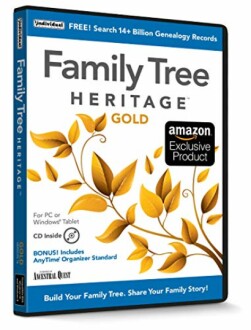
Product Spotlight: Family Tree Heritage Gold 16
One outstanding choice for family tree software is Family Tree Heritage Gold 16. This software stands out due to its comprehensive features:
 Comprehensive tool
Family Tree Heritage Gold 16
This software helps you organize, build, and share your family tree with intuitive tools and access to over 14 billion records.
Learn MoreGenealogy Research Made Easy
The software you choose should ideally simplify your research process by offering convenient features like access to historical records and smart hints for possible ancestor connections.
Additional Tools for Genealogy
Some software products even offer tools that allow you to create a digital story or presentation of your family's history. Features like this can greatly enhance the storytelling aspect of your genealogy research for family reunions and gatherings.
Popular Family Tree Software Comparisons
Consider the following popular software options for family genealogy:
| Software | Price | Features |
|---|---|---|
| Family Tree Heritage Gold 16 | Check online | Over 14 billion records, user-friendly platform, document sharing |
| RootsMagic 8 | Check online | Collaboration tools, mobile apps, tree structures |
| Legacy Family Tree Standard | Check online | Recording options, charts, customizable reports |
Conclusion
Selecting the best family tree software is a significant step in your genealogy journey. By considering the features that matter most to you, and whether the software adds value through convenience or additional tools, you can make an informed decision. Don't hesitate to trial multiple options until you find the perfect fit for your needs.
Tips for Beginners
- Start with a free trial to explore features before purchasing.
- Engage with community user forums for insights and advice.
- Utilize YouTube tutorials for software walkthroughs.
- Consider how well the software syncs with existing online genealogical databases.


