
Comprehensive Guide to Real Estate Management Software
Key Takeaways
- Understanding must-have features in real estate management software to streamline operations.
- Importance of integrating financial tools for seamless property management.
- Choosing software that supports rental management and provides tax reporting.
In today's real estate market, effective management is crucial for success. Whether you're overseeing rental properties, managing business finances, or navigating personal investments, choosing the right software can streamline your operations. This guide will break down the essential features to look for when selecting real estate management software and highlight a standout product that fits these criteria.
Essential Features of Real Estate Management Software
When searching for real estate management software, there are several key features to consider:
| Feature | Description |
|---|---|
| Property Management | Tools to track and manage properties, including tenant information, lease agreements, and maintenance schedules. |
| Financial Management | Features that offer budgeting, expense tracking, and financial reporting to streamline your finances. |
| Tax Reports | Built-in tax reporting that aids in preparing for taxes related to rental and business income. |
| Reporting Tools | Comprehensive reporting tools that provide insights into property performance, cash flow, and tenant payments. |
| User-Friendly Interface | An intuitive interface ensures that users can navigate the software easily without extensive training. |
Why Is Financial Management Important?
Having a software solution that integrates financial management tools is essential. It allows users to keep track of both personal and business finances in one place. Not only does it aid in budgeting, but it also streamlines tax preparation, making it easier to generate Schedule C & E reports.
A Standout Product: Quicken Classic Business & Personal Finance Software
One software that stands out in the real estate management category is the Quicken Classic Business & Personal Finance Software. Here’s what makes it a solid choice for managing your real estate finances:
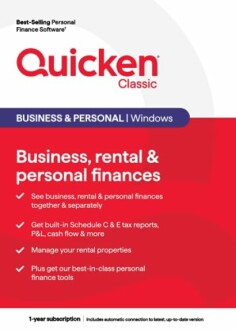 Feature Highlight
Quicken Classic Business & Personal Finance Software
Comprehensive management of business, rental, and personal finances with advanced reporting tools.
Learn MoreKey Features of Quicken Classic
- Includes everything in Quicken Classic Premier PLUS see business, rental & personal finances together & separately
- Get built-in Schedule C & E tax reports, P&L, cash flow & more
- Manage your rental properties effectively
- Best-in-class personal finance tools
Comparing Real Estate Management Software
When deciding on the best software for your needs, consider comparing multiple options. Below is a comparison table of various real estate management software available:
| Software | Property Management | Financial Management | Reporting Tools | Tax Reports |
|---|---|---|---|---|
| Quicken Classic | Yes | Yes | Comprehensive | Yes |
| Competitor A | Yes | No | Basic | No |
| Competitor B | No | Yes | Advanced | Yes |
Considerations When Choosing Software
While selecting the right real estate management software, keep the following points in mind:
- Assess your specific business needs and goals.
- Consider scalability; can the software grow with your business?
- Evaluate customer support and user reviews for insight on reliability.
Final Thoughts
Choosing the right real estate management software can significantly enhance your efficiency and effectiveness in managing finances and property. With tools like Quicken Classic, you can integrate all your management needs in one place. Make sure to assess your requirements and explore various options available before making a decision.
Tips for Beginners
- Start by defining what features are most important to your real estate management.
- Look for software that offers a free trial so you can test its functionalities.
- Utilize online resources and forums to gather insights from other users.
Further Resources
For more information about real estate management, check our informative articles:


