
Choosing the Right Office Software for Your Needs
Key Takeaways
- Identify your specific needs: Are you looking for basic word processing, advanced data analysis, or creative design?
- Consider user-friendliness and compatibility with devices.
- Evaluate subscription vs. one-time purchase options.
- Explore various software options such as Microsoft Office, Google Workspace, and Adobe Creative Cloud.
- Utilize educational discounts and trial versions to make informed choices.
As we step into 2025, selecting the right office software remains a critical decision for both individuals and businesses. With a multitude of options available, it’s important to understand the features that cater to your specific requirements. In this guide, we will explore popular office software choices, comparing their key features to help you make an informed decision.
Why Office Software Matters
Office software enhances productivity, improves collaboration, and streamlines workflows. Understanding the different offerings can significantly influence how effectively you perform everyday tasks, whether in a home office or a corporate environment.
Popular Office Software Options
Below is a comparison table of some of the most widely used office software available today.
| Software | Platform | Key Features | Best For |
|---|---|---|---|
| Microsoft Office Home & Student 2021 | Windows, Mac | Word, Excel, PowerPoint; One-time purchase | Students, Home users |
| Adobe Creative Cloud All Apps | Windows, Mac | Photoshop, Illustrator, Premiere Pro; Subscription | Creative professionals, Students |
| Google Workspace | Web-based | Docs, Sheets, Slides; Cloud collaboration | Teams, Small businesses |
In-Depth Look at Notable Software
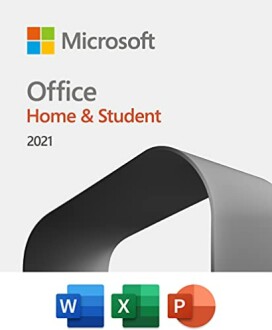 Essentials for productivity
Microsoft Office Home & Student 2021
This software includes essential applications like Word, Excel, and PowerPoint, perfectly designed for students and home use without requiring a subscription.
Learn More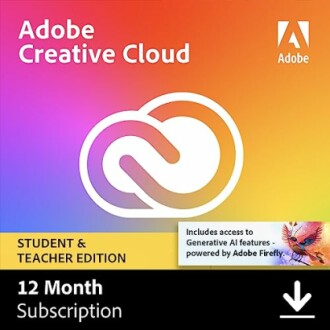 Unlock your creative potential
Adobe Creative Cloud All Apps
Gain access to over 60% off top-tier creative tools for students and educators, ideal for any level of creativity.
See ProductKey Features to Consider
1. Compatibility
Ensure the software you choose works with your current operating system, whether it's Windows, Mac, or a web-based option.
2. User Experience
Look for software that is intuitive and easy to navigate, enhancing your overall productivity.
3. Customer Support
Strong customer support can be crucial if you encounter any technical issues or require assistance.
4. Pricing Structure
Evaluate whether a one-time purchase or a subscription model better fits your budget and usage needs.
Pros and Cons of Each Software
Pros
- Microsoft Office: Trusted and widely used across various industries
- Adobe Creative Cloud: Extensive features for creative professionals
- Google Workspace: Real-time collaborative features ideal for teams
Cons
- Microsoft Office: No automatic updates provided
- Adobe Creative Cloud: Subscription costs can add up over time
- Google Workspace: Relies heavily on an internet connection
Making the Right Choice for Your Needs
Choosing the right office software involves assessing your objectives, the complexity of tasks, and your budget. Whether you are leaning toward Microsoft’s trusted suite, Adobe’s creative power, or Google’s collaborative tools, the best choice depends on your specific environment, be it for personal use or for your business needs.
Tips for Beginners
- Start with free trials to get a feel for different software.
- Read reviews and comparisons online to see user experiences.
- Seek educational discounts if you are a student or educator.
- Utilize forums and community help resources to enhance your knowledge.
- Invest time in learning the software for better efficiency.
Conclusion
Investing time to understand the options available ensures that you select the software that best meets your needs. Whichever software you choose, keep in mind that the right tools can significantly boost your productivity and creativity. For further reading and guidance on software choices, check out our other resources on Buying Guides and Business & Office Software.


